

I heard once that the hardest single thing to do in sports is hitting a major-league fastball. I have no real idea if that’s true (I saw it on the internet, so it must be true), but I can say that now that I have had the opportunity to see a fastball (virtually) thrown by a (virtual) major league pitcher, I can say that it’s really, really hard.
How did I get to face a major league pitcher? No, I don’t know a guy who knows a guy, and I didn’t win some kind of contest. In fact, I didn’t even leave my house. I faced that pitching—along with a high school baseball pitcher, a 10U kid, and a high school softball pitcher, all in the (relative) comfort of my living room thanks to the WinReality VR system.
WinReality is designed as a baseball training system that puts you in a virtual reality environment and lets you work on your batting. And it’s kind of brilliant.
My son has been playing baseball since we first signed him up for youth ball when he was 4. He’s now 18 while he hasn’t played for several years, he’s still involved with the sport (more on that in a bit.) But I never played baseball growing up. In fact, I wasn’t even a fan of the game until I worked for the San Francisco Giants in my mid-20s. So I was always limited in how much I could help my kid as he progressed through the years. Yes, there are batting cages around, but while they are great for getting in reps, they don’t help much in actual teaching, and, also, facing a batting machine doesn’t help you with things like release point and pitch recognition. I was always useless—if we went up to try to have him hit, I was as likely to hit him with a pitch as I was to get the ball anywhere near the plate. (He’d insist that I was in fact more likely to hit him.) And, of course, both of those options were dependent on time, weather, availability of the cages or fields, and the rest.
I only wish we’d had the WinReality system years ago.
First, some technical details: the system works on the Meta Quest 2. The folks at WinReality were kind enough to send us a Meta Quest unit for testing, but this review is about WinReality.
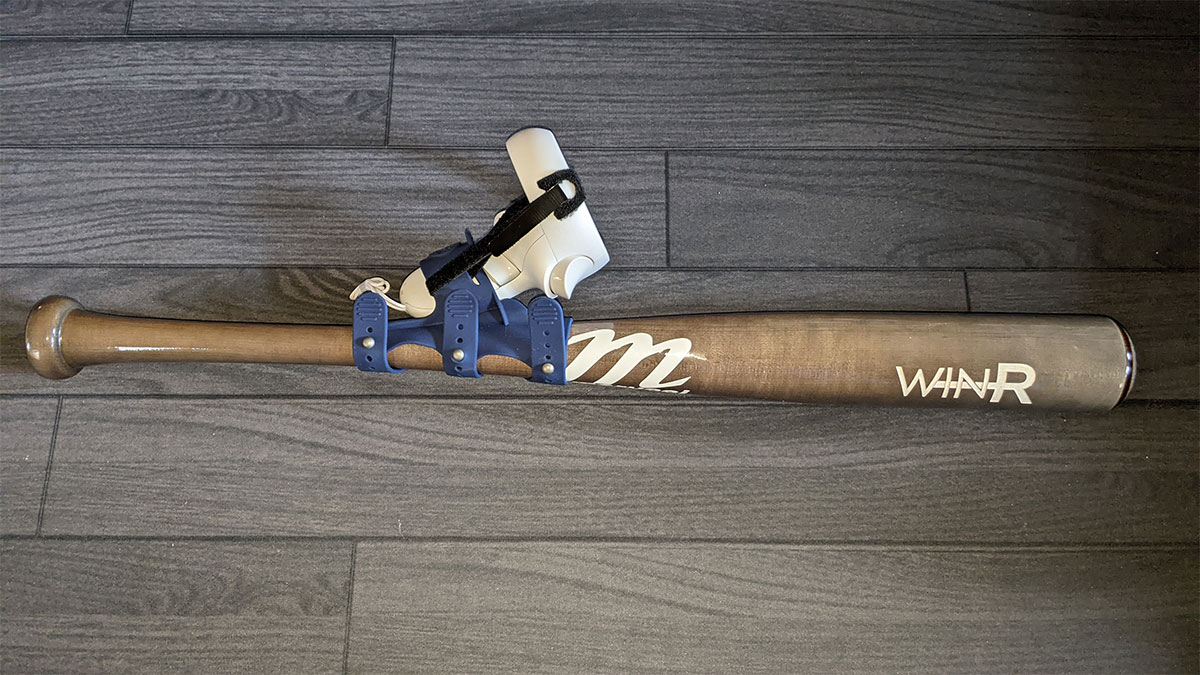
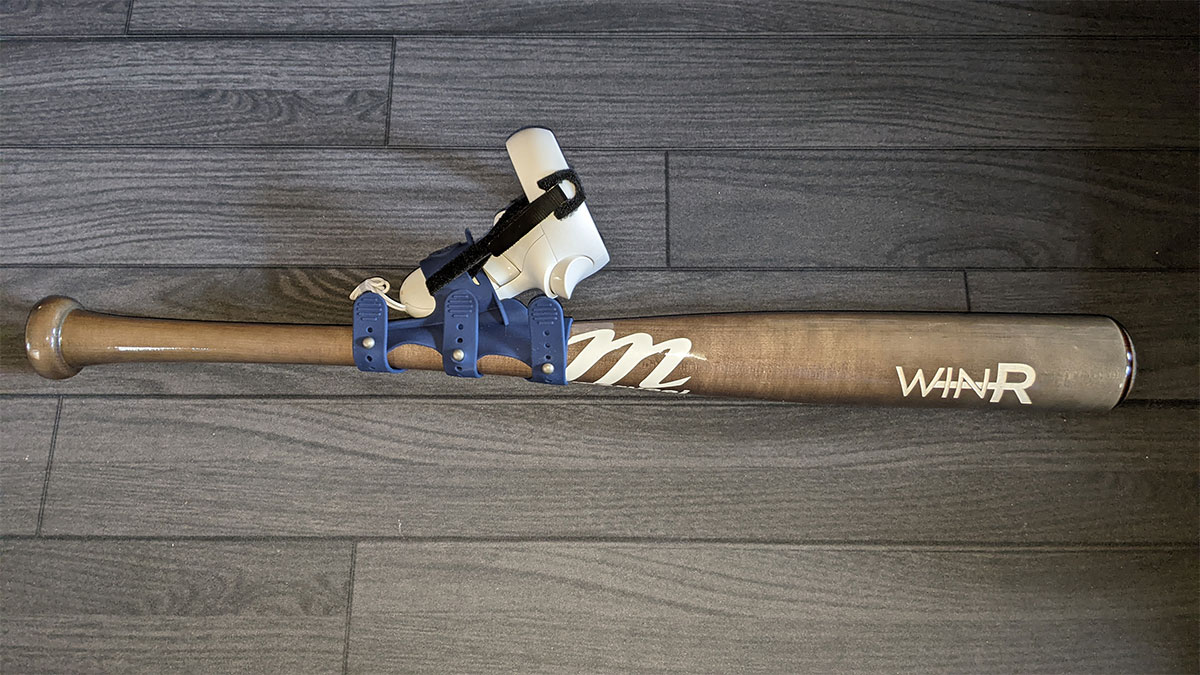
In addition to the headset, there is one piece of hardware that WinReality comes with that’s simply brilliant: a strap that allows you to attach one of the controllers to a bat. They also sent me an undersized bat to test out, which was fun and all, but my son greatly preferred using his real bat. And because there’s no tech involved in the bat itself—the VR is still being run through the controller—anyone working with the system can use any bat they want. (And there is, of course, the real value to practicing with the bat you plan to use in real game situations.)
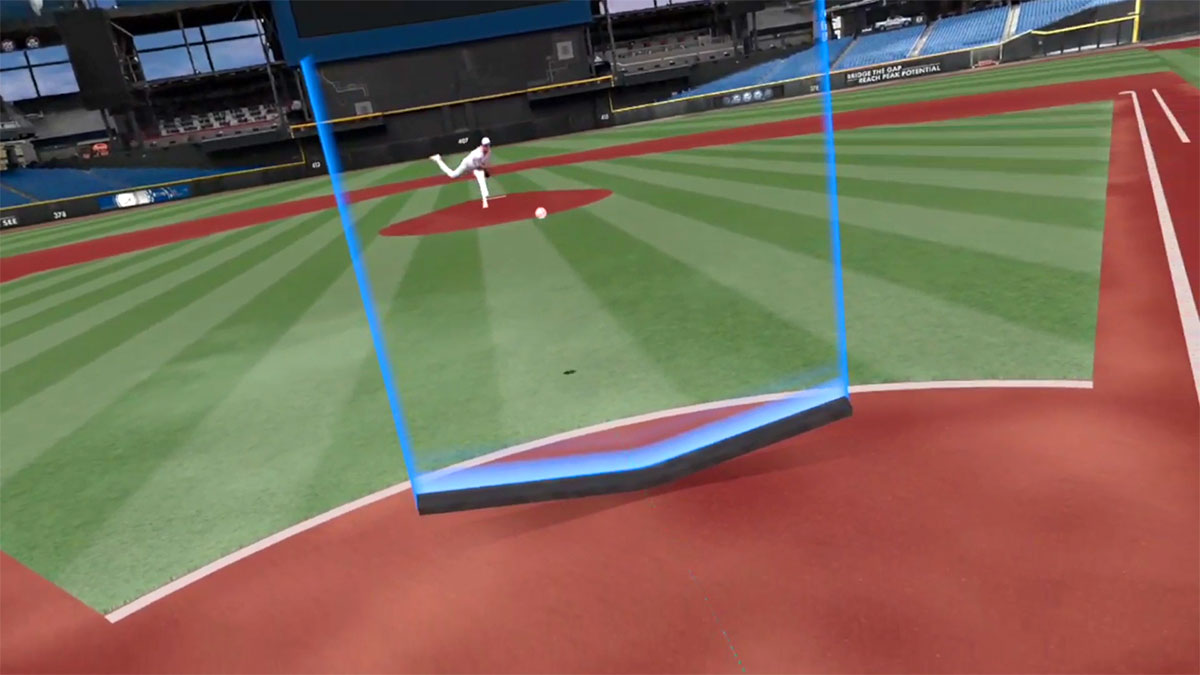
Once you sign in, you’re put into a very cool virtual stadium and given three main practice modes: “assignments,” “practice,” and “batting cage.” The first of those steps you through a series of exercises to work on pitch recognition, speed, and batting. The second is more like a sandbox mode, so if you only want to work on pitch recognition, you can just do that. And the third is a virtual batting cage, where you can just get your reps in against a wide variety of pitching types.

I played around with the system a bit so that I could talk about it here first-hand, but I mostly observed my son working in it. And he used it in a way that the folks at WinReality definitely didn’t count on. Starting when he was 10 or 11, he has umpired baseball along with playing it. It’s been a fantastic activity for us both to do together, and turned into a great part-time job for him while he finished high school (he can easily make $300-400 in a weekend of doing travel ball games, which is not only better money that most of his friends make at their more traditional high school jobs, but it’s a lot more fun for him, too.) And, he’s now looking to parlay that into a career–in just a few weeks, he’ll be starting at the Wendelstedt Umpire School, hoping to get one of a coveted few jobs as a professional umpire.
To prepare for this ultra-competitive school, he’s spent the last few weeks spending time almost daily using the WinReality system. Of course he’s not trying to be a hitter, but that mode in the system that allows you to watch and identify a pitch has been extremely helpful for him to fine-tune his strike zone.

While I certainly understand the relatively niche nature of umpire training, it’d be cool if that was built into the system as an actual training mode. (And, having players try their hand at umpiring might help reduce the number of times players complain about pitches that the umpire called correctly.) I also wish the system included mode for practicing other baseball skills, like fielding.
But the lack of features that the system was never intended to have certainly shouldn’t be seen as a negative point in the review. Looking at the system purely for what it was actually designed to do, I can only say “wow.” I wish we’d had this years ago when my son was actually playing the game, because I have no doubt it would have made him a better hitter.
So I have no way to test if a player who started as a pretty decent hitter woudl become an elite hitter by using this. But the company trumpets its work with dozens of college programs across the country. And I’ve been around baseball for long enough now that I do understand what kinds of skills batters need, and from what I saw, this fits the bill really well.
I will say that none of this is cheap. An Meta Quest, if you don’t already have one, will set you back around $299 (although it is currently on sale at Amazon for about $250.) And then WinReality works on a subscription model: $29 per month if billed monthly, unless you opt in for the “pro” plan, which is an extra $10/month and includes free live coaching. The bat attachment by itself is a one-time $21 fee. The company does offer a bundle that includes the Quest headset as well.
Also worth of note: right now, the company is offering some pretty good holiday deals. The regular membership is currently $228 and includes for free either the weighted short bat or the bat attachment, and free shipping. The pro plan is $299, and likewise includes the bat or attachment. And the bundle that includes the Meta Quest 2 is $479, so you’re only paying about $220 for the headset, which is still a bit cheaper than buying it separately on Amazon’s sale, and a big savings over the regular price.
But here’s the thing to keep in mind: even at full price, unlimited time with what amounts to a virtual hitting coach is a bargain. A live hitting coach, at least where we live in Northern California, is going to run around $50 per not-quite-an-hour session. So in just 7 sessions, you’re already spending more than you would on WinReality. Even if you need to buy an Quest, ou’re looking at starting to save money after just 15 lessons. And, of course, that doesn’t account for extra costs like travel to and from the coach, or the fact that with a coach, you’re getting one lesson a week. With WinReality, you can learn as much as you want per day (or, more accurately, as much as the Quest battery will allow you to learn per day).
So for that person on your list who loves the world’s greatest sport and wants to get better at it, the WinReality is a must-have for Christmas this year.
Click through to read all of “Use VR to Improve Your Baseball Skills with Win Reality” at GeekDad.If you value content from GeekDad, please support us via Patreon or use this link to shop at Amazon. Thanks!