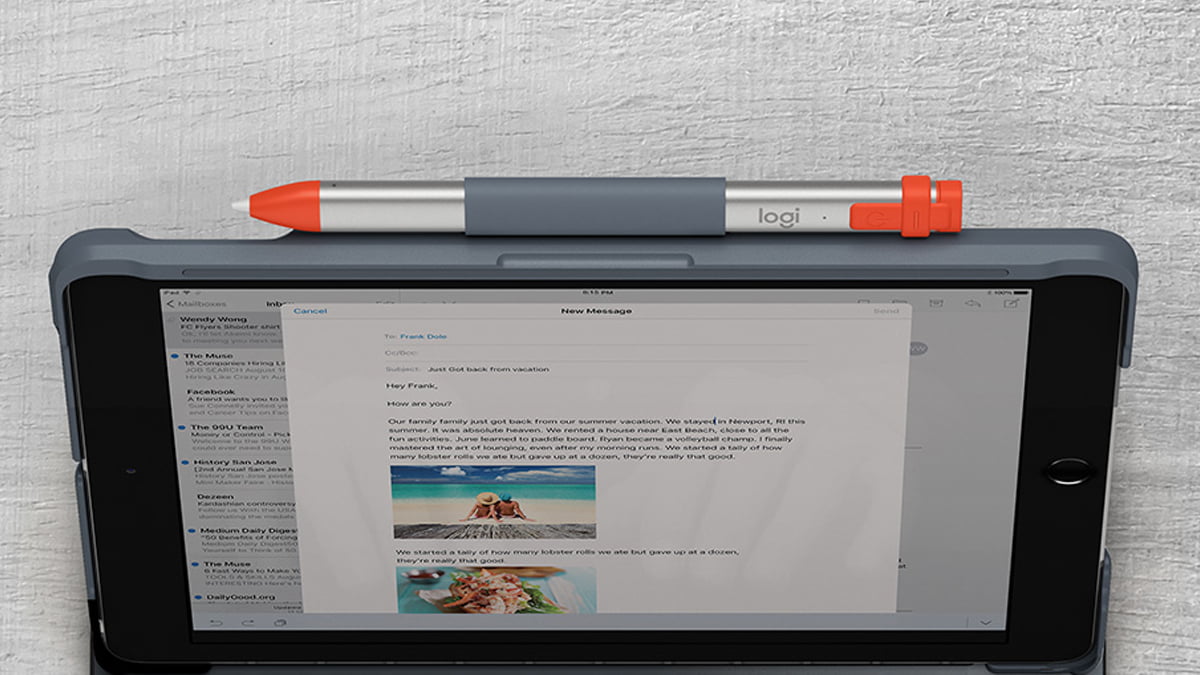
The Logitech Folio is officially my favorite keyboard for the iPad 5th/6th generation. Seriously, I challenge anyone to send me something I’d like more than this single-cell battery-powered piece of goodness.
It not only serves as a keyboard but also as a case to protect my device. When I’m not using the keyboard, I can fold it over to hold it like a normal iPad.
The shortcut bar has keys for keyboard (in case you have multiple keyboards installed), search, play/pause, volume, home screen, microphone, and lock screen.
There’s a spot for your Apple Pencil or your Logitech Crayon to hang out when you’re not using it as well.
My favorite feature is the single-cell battery that lasts up to 4 years (typing 2 hours per day). Finally an accessory for my iPad that I don’t have to charge!! The heavens are singing praises right now. The battery kicks in when your iPad magnetically locks into place and it turns itself off after a period of no use.
This entire post was typed on the Folio and the feeling is as natural as if I was on a small laptop. My hands felt comfortable resting on the keys and getting right to work. The keys are evenly spaced enough that your hands don’t feel cramped having to sit too close together as you get your work done either.
If you are looking for a way to take your iPad to the next level, I highly suggest you check out the Logitech Folio. For a retail value of $99 (currently $79 on Amazon), it’s worth the investment if you do a lot of typing on your iPad.
While you’re looking at the Logitech Folio, check out the Logitech Crayon as a substitution for the Apple Pencil. It’s slightly cheaper at $69 (Apple Pencil is around $99) and works just as great. It charges via micro-USB which is the only downfall but it works just as well as my Apple Pencil, and for the budget conscious you can’t beat the price.
Disclaimer: GeekMom was given a review sample.
This post was last modified on January 14, 2019 4:45 pm
Trans rights are human rights. In a world where trans rights keep being taken away,…
I really didn’t want another story about a young adult attending a magical school, but…
Bring springtime and color into your home with Marimekko stationery items.
The fight between winter and the onset of spring is something we know well in…
Out today is the newest Mouse Guard book, 'Mouse Guard: Dawn of the Black Axe'—and…